
How to Save Your Game in GTA 6: Pause Menu, Slots, Limits

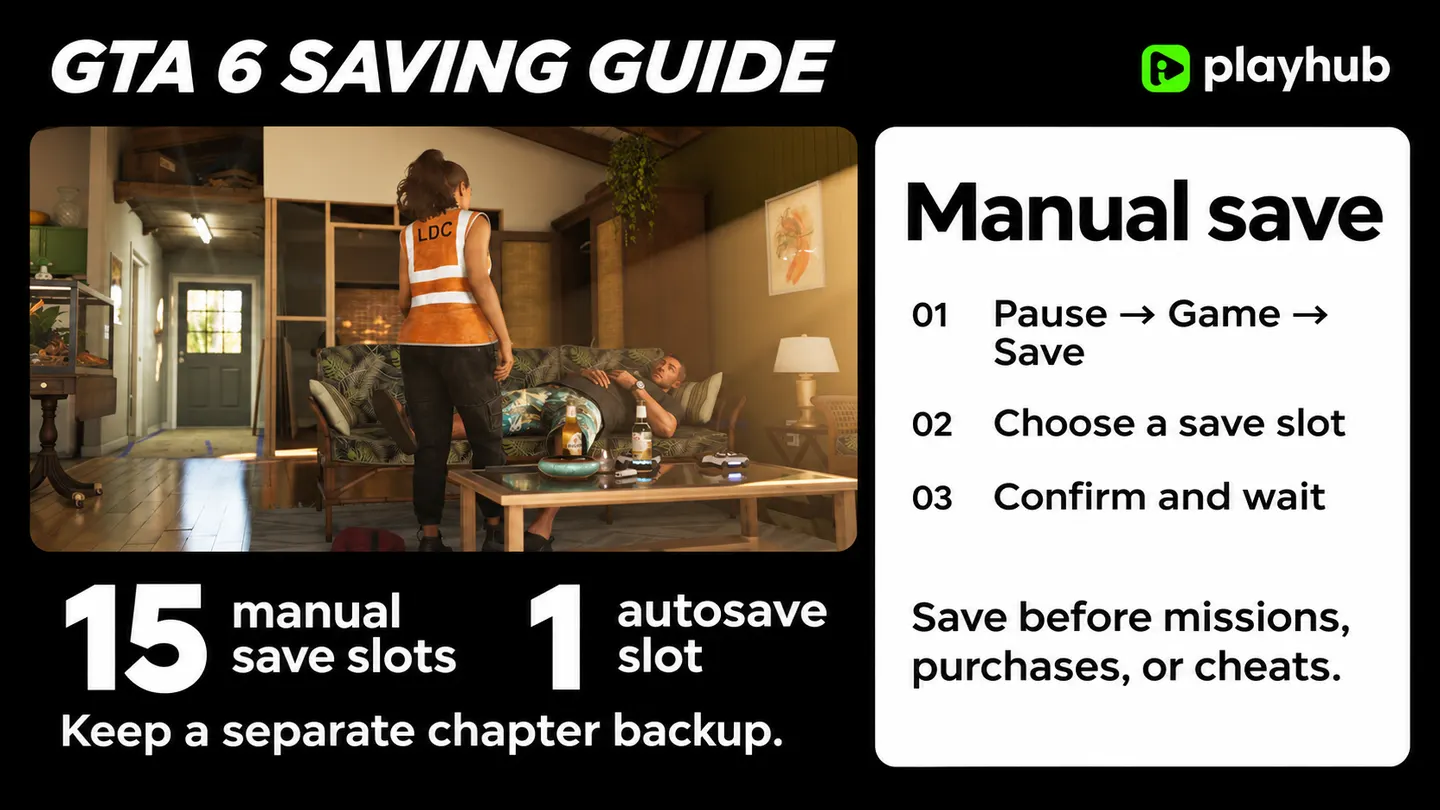
Saving in GTA 6 reportedly works through the same menu you use to load, and the pause menu holds the load option for going back to an earlier save. According to reports, you do not need to travel anywhere to do it.
Details #
- According to reports, you do not have to drive home or go to a bed to save.
- According to reports, you can save into an empty slot or overwrite an existing manual save.
- According to reports, you should wait for the save to finish before closing the game.
- Some in-game actions, such as using cheats, disable saving entirely.
- According to reports, once saving is disabled this way, you must quit out and return to the game to save again.
- According to reports, cheats are not available early on.
- Using cheats disables saving, so make a backup save first.
- According to reports, the autosave system may not record long car trips and similar activity.
- According to reports, if Save is unavailable during an active mission, finish the current objective and check again in free roam.
- According to reports, a save error may come with a storage warning message.
- According to reports, GTA 6 has no mission replay, so keeping an older save is the way to revisit a story section.
What it means for players #
Keep a separate manual save before you try cheats, because cheats turn saving off. The same goes for any story section you may want to replay later, since an older save is reportedly the only way back.
Do not rely on autosave alone after a long drive, as that activity may go unrecorded. A manual save is the safer habit.
Some things are still unclear. Neither GTA 6 trailer shows a pause menu, a save prompt or a loading screen, according to reports. Cross-platform cloud saves are also not confirmed for GTA 6.
Images
Was this page helpful?
Sources
- Here's how to save your game in GTA 6 — PC Gamer
- How to Save Your Game in GTA 6: Manual Saves & Save Slots — Playhub
- How to Save Your Game in GTA 6: Autosave, Quick Save and Safehouses — 6cheats.com
Facts on this page are checked against these sources. Updated: Nov 19, 2026.
Cite this page
Writing about GTA 6? Use this reference.
                  "How to Save Your Game in GTA 6: Pause Menu, Slots, Limits." GTA6pedia, updated Nov 19, 2026.
                  https://gta6pedia.net/guides/how-to-save-game-gta-6/
                  <a href="https://gta6pedia.net/guides/how-to-save-game-gta-6/">How to Save Your Game in GTA 6: Pause Menu, Slots,
                  Limits</a> (GTA6pedia)
Related guides

GTA 6 Laptop Password and Auntie's Place in La Perle
Vanessa's laptop password in GTA 6 Chapter 3: pick Muffins, queen and 15, then find Auntie's Place in La Perle for the garage code 92665.

Every GTA 6 Ending and How to Get Them
GTA 6 endings explained: shoot Mendez or take his deal, then the bridge choices, Family Savings and Criminal Profile that decide how Jason and Lucia end up.

GTA 6: Secret Controls and Gameplay Features You Missed
GTA 6 controls you may have missed: the door swing, first-person look, vehicle shortcuts, Focus Mode and quick travel options.

Can You Free-Roam After Beating GTA 6?
Yes, you can free-roam in GTA 6 after the story. You return to a pre-finale auto-save, can replay the finale and chase 100% completion.