
How to Switch Characters in GTA 6 and Direct Your Partner
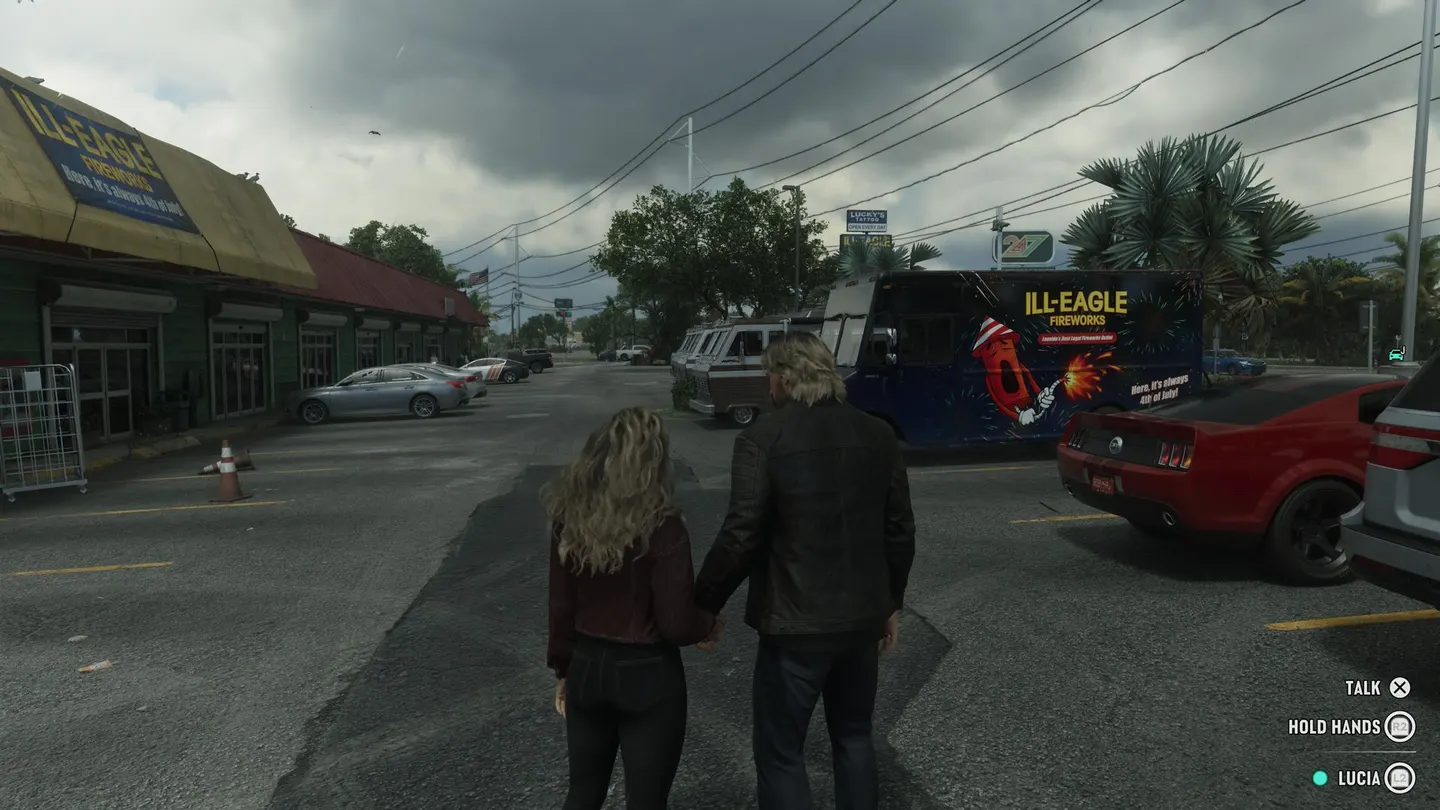
GTA 6 has two playable characters, Jason Duval and Lucia Caminos, and you can switch between them. According to reports, switching is not available from the start and unlocks after a certain milestone in Chapter 2. Rockstar Games has confirmed that you will not be able to switch freely whenever you want.
Details #
Switching characters
- According to reports, once both characters are available, hold right on the d-pad and press R1/RB to switch.
- Switching can occasionally be blocked. According to reports, if your partner is busy, their profile appears darkened when you hold left on the d-pad.
- A J or an L icon on the map marks a mission that must be played solo as that character.
Why switching is limited
- Switching is limited by story progression, according to reports.
- Some missions force you to use a specific character.
- According to reports, other missions require you to switch at key moments.
- In some missions, reportedly, you can swap between Jason and Lucia at will.
- Rob Nelson, co-studio head of Rockstar North, explained the limits in an interview. He said the goal is for players to experience the story through the right character’s eyes at the right time, according to reports.
- The restriction is reportedly meant to preserve narrative immersion, story logic, realism and character agency.
Giving your partner instructions
- To check in, hold right on the d-pad and press Triangle/Y when a blue icon appears above their profile picture. You can also press up on the d-pad and open the relevant app in the phone menu, according to reports.
- When the two are together, reportedly, L2/LT focuses on your partner. This prompts conversation and lets you share held items such as food and drink.
- To meet up, hold right on the d-pad and press Triangle/Y, or call them from the Contacts app, according to reports.
- Calling your partner reportedly makes them drive to your location, or to your set destination if you have one.
- Near your personal vehicle , hold right on the d-pad to ask your partner to drive. Once you are a passenger, setting a map destination makes them drive there, according to reports.
- While your partner drives, holding right on the d-pad reportedly lets you tell them to speed up or slow down.
- Reportedly, if police are chasing you in a vehicle you are driving, you can switch characters to take control of the passenger.
- Before a robbery, holding right on the d-pad lets you ask your partner to wait in the car. During the robbery, you can reportedly call them in for backup or hand them a weapon.
- According to reports, each character can carry only two stash bags of loot at a time, but bags can be thrown to the partner to carry.
- Holding right on the d-pad also gives the option to split up. According to reports, this can be done at any time while exploring but may be restricted in some missions.
What it means for players #
Some missions force you to use a specific character, while others require you to switch at key moments. In some missions, you can swap between Jason and Lucia at will. The bank heist escape in the trailer is described as a seamless switch: you start as Jason taking cover in the car, then switch to Lucia, who is driving.
In the Extended Look, Lucia is shown skydiving and the player then switches to Jason in a cutscene, according to reports.
According to a Dazed preview, you can either play as a couple or split up and cause chaos independently.
Images



Was this page helpful?
Sources
- How to switch between Jason and Lucia in GTA 6 — GamesRadar+
- Rockstar explains how GTA 6 character switching will work between Jason and Lucia — TweakTown
- New GTA 6 character swapping details revealed: Jason and Lucia can 'play as a couple, or go off and cause chaos independently' — PC Gamer
Facts on this page are checked against these sources. Updated: Nov 19, 2026.
Cite this page
Writing about GTA 6? Use this reference.
                  "How to Switch Characters in GTA 6 and Direct Your Partner." GTA6pedia, updated Nov 19, 2026.
                  https://gta6pedia.net/guides/gta-6-switch-characters-partner-commands/
                  <a href="https://gta6pedia.net/guides/gta-6-switch-characters-partner-commands/">How to Switch Characters in GTA 6 and Direct
                  Your Partner</a> (GTA6pedia)
Related guides

GTA 6 Laptop Password and Auntie's Place in La Perle
Vanessa's laptop password in GTA 6 Chapter 3: pick Muffins, queen and 15, then find Auntie's Place in La Perle for the garage code 92665.

Every GTA 6 Ending and How to Get Them
GTA 6 endings explained: shoot Mendez or take his deal, then the bridge choices, Family Savings and Criminal Profile that decide how Jason and Lucia end up.

GTA 6: Secret Controls and Gameplay Features You Missed
GTA 6 controls you may have missed: the door swing, first-person look, vehicle shortcuts, Focus Mode and quick travel options.

Can You Free-Roam After Beating GTA 6?
Yes, you can free-roam in GTA 6 after the story. You return to a pre-finale auto-save, can replay the finale and chase 100% completion.